Welcome! In this guide, we’ll explore some of the best WordPress themes in 2026 that offer fast performance, SEO-friendly features, and easy customization. Whether you’re building a blog, business website, or online store, there’s something here for everyone.
Quick Comparison of the Best WordPress Themes
| WordPress Theme | Best For | Key Strength |
|---|---|---|
| GeneratePress | Blogs and business websites | Lightweight and fast |
| Kadence | Beginners and growing websites | Flexible customization |
| Astra | All-purpose websites | Large library of starter templates |
| Blocksy | Modern websites and WooCommerce | Advanced customization |
| Divi | Design-focused websites | Visual drag-and-drop builder |
| Avada | Multipurpose websites | Feature-rich website building tools |
| REHub | Affiliate, directory, and marketplace sites | Specialized monetization features |
Now, let’s take a closer look at each theme.
1. GeneratePress
Best for: Bloggers, businesses, publishers, and users who want a fast and flexible WordPress theme.
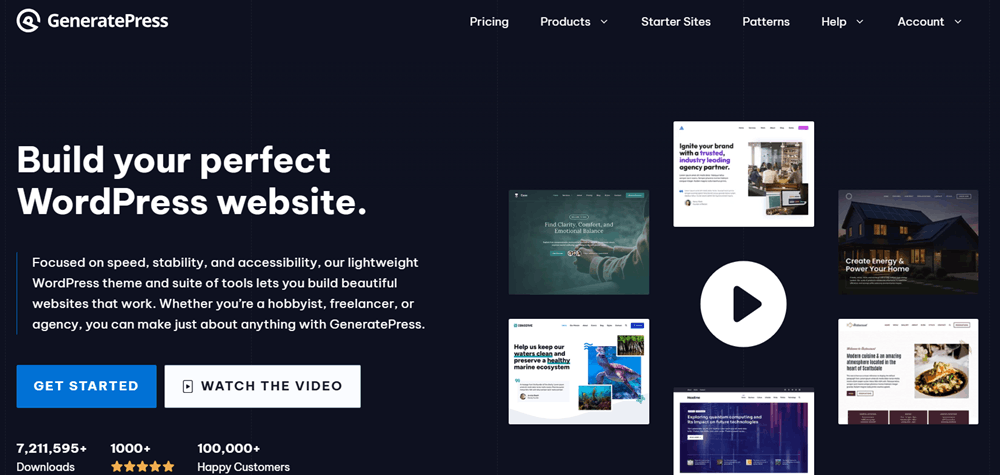
GeneratePress is one of the most popular choices for website owners who value speed, simplicity, and flexibility. It is known for its lightweight approach and gives users a clean foundation for building different types of WordPress websites.
The theme works well for blogs, business websites, portfolios, and content-focused projects. Its simple design also makes it easier to create a professional-looking website without adding unnecessary features that may slow things down.
GeneratePress is compatible with popular page builders and works well with the WordPress block editor. Users who want additional control can also take advantage of its premium features for layouts, typography, colors, and other design elements.
Why Choose GeneratePress?
- Lightweight and performance-focused
- Clean and professional design
- Easy to customize
- Works well with the WordPress block editor
- Compatible with popular page builders
- Suitable for blogs, business sites, and content websites
GeneratePress Pricing Plans
GeneratePress offers a flexible pricing structure, allowing users to either purchase the complete product bundle or choose individual products based on their specific needs. This makes it easier to select a plan depending on the type of website you are building and the level of functionality you require.
GeneratePress One – $149/Year
Best for: Users who want the complete GeneratePress ecosystem and access to multiple website-building tools.
For users who want access to the complete GeneratePress ecosystem, GeneratePress One is the all-in-one option. The plan includes GP Premium, GenerateBlocks Pro, and GenerateCloud, along with access to starter sites and a large collection of patterns.
It is a suitable choice for website owners, developers, and agencies who want access to multiple GeneratePress tools under a single subscription.
GeneratePress One Includes:
- GP Premium
- GenerateBlocks Pro
- GenerateCloud
- 60+ Starter Sites
- 200+ Patterns
- Automatic access to future products
- Priority support and updates
Individual GeneratePress Products
If you don’t need the complete bundle, GeneratePress also allows you to purchase individual products separately.
GP Premium – $59/Year
Best for: Bloggers, businesses, and website owners who want a lightweight theme with more customization options.
GP Premium is designed for users who want to unlock additional features and customization options for the GeneratePress theme. It provides greater control over layouts, colors, typography, and other important design elements.
GenerateBlocks Pro – $99/Year
Best for: Users who prefer building websites with the WordPress block editor.
GenerateBlocks Pro is focused on improving the WordPress block editing experience. It provides additional blocks, responsive controls, advanced design options, patterns, and other tools for creating custom website layouts.
GenerateCloud – $99/Year
Best for: Developers, agencies, and users managing reusable design elements across different projects.
GenerateCloud is designed to simplify the process of managing and sharing reusable patterns and global styles. It can be useful for developers, agencies, and users working on multiple websites who want a more organized workflow.
Which GeneratePress Plan Should You Choose?
The right GeneratePress plan depends on your requirements. If you only need additional features for the GeneratePress theme, GP Premium may be enough. Users who want more advanced block-building capabilities can consider GenerateBlocks Pro, while GenerateCloud may be useful for managing reusable design elements.
However, if you want access to all three products along with starter sites, patterns, future products, and priority support, GeneratePress One offers the most complete package.
Overall, GeneratePress provides flexible options for different types of users, from individual bloggers to developers and agencies. This makes it easier to choose a plan that fits your website requirements without paying for tools you may not need.
2. Kadence
Best for: Beginners, businesses, bloggers, and website owners looking for a flexible all-purpose theme.
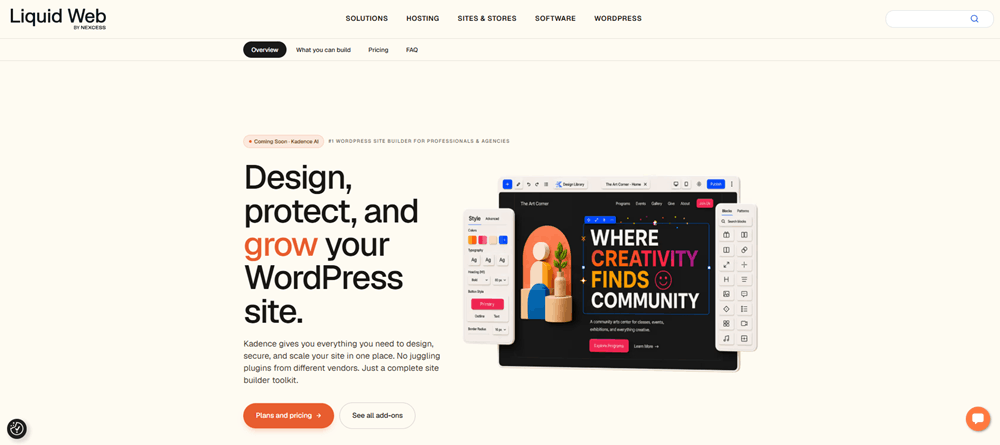
Kadence has become a popular WordPress theme because it offers a strong balance between ease of use, design flexibility, and performance. It is suitable for beginners while still providing enough customization options for more advanced users.
One of the main advantages of Kadence is its ability to help users create modern-looking websites without requiring extensive coding knowledge. You can customize layouts, typography, colors, headers, and other important design elements to match your website’s branding.
Kadence is also a good option for different types of projects, including blogs, business websites, portfolios, and WooCommerce stores.
Why Choose Kadence?
- Beginner-friendly customization options
- Modern and professional designs
- Flexible header and layout controls
- Suitable for WooCommerce websites
- Works with the block editor and page builders
- Good option for different types of websites
Kadence Pricing Plans
Kadence offers three main pricing plans designed for different types of users, from individual website owners to professional agencies. The plans include Essentials, Pro, and Elite, with each option providing access to a broader range of tools and features.
Whether you are building a single website, running an online store, or managing multiple client projects, Kadence offers different options based on the level of functionality and support you need.
Kadence Essentials – $99/Year
Best for: Bloggers, small businesses, and users looking for the essential Kadence theme and website-building tools.
Kadence Essentials is the entry-level plan and provides a solid foundation for building and customizing a professional WordPress website. It includes the Kadence theme, Kadence Blocks Pro page builder, premium themes and templates, and several useful customization tools.
This plan is a good choice for bloggers, small businesses, and website owners who want access to Kadence’s core website-building features without paying for additional security or agency-focused tools.
Kadence Essentials Includes:
- Kadence Blocks Pro page builder
- Premium themes and templates
- Kadence AI features
- Header and footer builder
- Mega menus and advanced navigation
- Custom fonts and Pattern Hub
- Child theme builder
- CAPTCHA
Kadence Pro – $299/Year
Best for: Growing businesses, creators, online store owners, and users who want a more complete website management solution.
Kadence Pro is the most popular plan and is designed for creators, businesses, and website owners who need a more complete set of tools. In addition to everything included in the Essentials plan, it adds features for WooCommerce, security, backups, performance optimization, and content management.
This plan is particularly useful for users who want to manage their website with additional tools rather than relying on multiple separate services.
Kadence Pro Includes Everything in Essentials, Plus:
- Shop Kit for WooCommerce
- Security firewall, 2FA, and Patchstack
- Daily backups and one-click restore
- Speed and performance optimization
- Content restriction and memberships
- Add-ons and integrations
Kadence Elite – $499/Year
Best for: Agencies, developers, freelancers, and professionals managing multiple client websites.
Kadence Elite is the highest-tier plan and is designed primarily for agencies and professionals managing multiple client websites. It includes everything available in the Pro plan while adding tools focused on multi-site management and client administration.
The plan also includes agency-focused features such as white-label client access and a dedicated client portal, making it a suitable option for businesses that build and manage websites for clients.
Kadence Elite Includes Everything in Pro, Plus:
- Multi-site management with Kadence Central
- A/B testing and conversion insights
- White-label client portal
- Promotional sale banners
- Popups and slide-ins
- Up to 1,000 emails per month with Kadence Mail
Which Kadence Plan Should You Choose?
The right Kadence plan depends on the type of website you are building and the features you need.
Kadence Essentials is a suitable starting point if your main focus is website design, customization, premium templates, and the Kadence Blocks Pro page builder.
If you need additional features for WooCommerce, security, backups, performance, and memberships, Kadence Pro offers a more complete package.
For agencies and professionals managing multiple websites or client projects, Kadence Elite provides additional tools for multi-site management, white-label access, client management, and other agency-focused features.
Overall, Kadence offers a clear progression between its plans. You can start with the Essentials plan for core website-building tools, upgrade to Pro for a broader collection of business and website management features, or choose Elite if you need a more advanced solution for managing multiple client websites.
3. Astra
Best for: Blogs, business websites, portfolios, online stores, and users who want access to ready-made website designs.
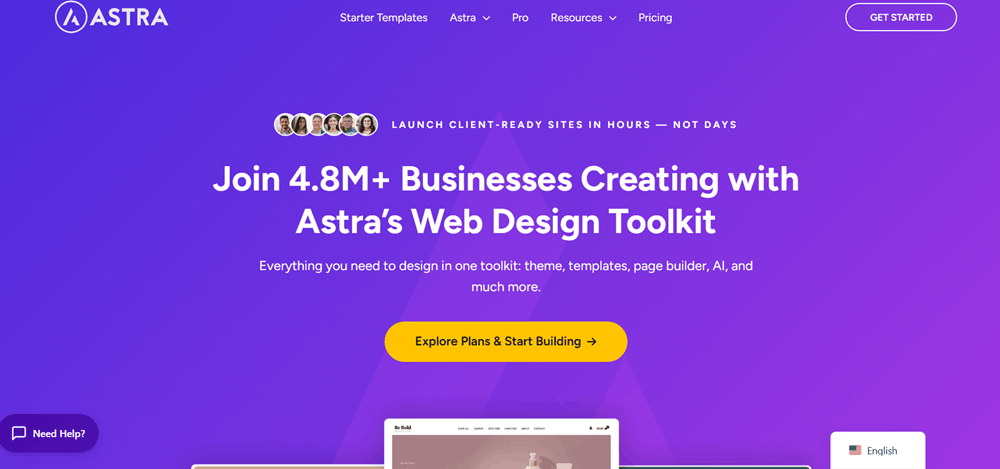
Astra is one of the most widely used WordPress themes and is designed to work with a wide variety of website types. Whether you are building a personal blog, a company website, a portfolio, or an online store, Astra provides a flexible starting point.
One of its biggest advantages is the availability of ready-made website templates, which can help users get started more quickly. Instead of building every section from scratch, you can choose a suitable starter design and customize it according to your needs.
Astra also integrates well with popular WordPress tools and page builders, making it a practical option for users who want flexibility in building their websites.
Why Choose Astra?
- Lightweight and versatile
- Large collection of starter templates
- Easy customization options
- Works with popular page builders
- WooCommerce-friendly
- Suitable for beginners and experienced users
Astra Pricing Plans
Astra offers flexible pricing options for different types of WordPress users, from individuals building a few websites to agencies managing a large number of client projects. You can choose between annual plans for ongoing access or lifetime plans if you prefer a one-time payment.
Astra currently offers three main packages: Astra Pro + AI, Essential Toolkit + AI, and Business Toolkit + AI. Each plan includes a different level of tools, website access, and additional features, making it easier to choose a package based on your specific requirements.
Astra Annual Pricing
The annual pricing option is suitable for users who prefer a lower upfront cost and want access to Astra’s tools through a yearly subscription.
Astra Pro + AI – $99/Year
Best for: Individual website owners, bloggers, and users managing a small number of websites.
Astra Pro + AI is the entry-level package and is designed for solo builders and users working on personal or smaller projects. The plan supports up to 3 websites and includes Astra Pro along with access to AI-powered website-building features.
Key Features:
- Use on up to 3 websites
- Astra Pro
- Generate sites with AI
- Access to premium AI designs
- Customize websites with AI
Essential Toolkit + AI – $199/Year
Best for: Freelancers and professionals managing multiple client websites.
The Essential Toolkit + AI plan is designed for freelancers and users who need more flexibility for managing multiple client websites. It supports up to 10 websites and includes everything from the Astra Pro + AI plan, along with additional premium tools and features.
Key Features:
- Use on up to 10 websites
- Astra Pro
- Spectra Pro
- Premium Starter Templates
- Generate sites with AI
- Access to premium AI designs
- Customize sites with AI
- Up to 5 Blueprint sites
- Up to 5 Sandbox sites
Business Toolkit + AI – $279/Year
Best for: Agencies, developers, and businesses managing a large number of client websites.
The Business Toolkit + AI plan is the most advanced annual package and is designed for agencies and professionals managing a large number of websites. It supports up to 1,000 websites and includes a broader collection of premium website-building and AI tools.
Key Features:
- Use on up to 1,000 websites
- Astra Pro
- Spectra Pro
- Premium Starter Templates
- Additional premium tools
- Generate sites with AI
- Access to premium AI designs
- Customize websites with AI
- Up to 20 Blueprint sites
- Up to 20 Sandbox sites
Astra Lifetime Pricing
For users who prefer to make a one-time investment instead of paying every year, Astra also offers lifetime pricing. With the lifetime option, you pay once for the selected package rather than renewing your subscription annually.
Astra Pro + AI – $279 One-Time
Best for: Bloggers, personal website owners, and users who want long-term access for a small number of websites.
The lifetime version of Astra Pro + AI offers the same core package for users who want Astra’s premium features without an annual renewal.
It supports up to 3 websites, making it a practical option for individual users planning to use Astra over the long term.
Essential Toolkit + AI – $549 One-Time
Best for: Freelancers and website professionals who manage multiple websites and prefer a one-time payment.
The Essential Toolkit + AI Lifetime plan is aimed at freelancers and professionals who want long-term access to Astra’s broader collection of website-building tools.
The plan supports up to 10 websites and includes Astra Pro, Spectra Pro, Premium Starter Templates, and AI-powered features.
Business Toolkit + AI – $799 One-Time
Best for: Agencies, developers, and businesses that manage a large number of websites.
The Business Toolkit + AI Lifetime plan is the highest-level lifetime package. It supports up to 1,000 websites and is designed for agencies and professionals who want access to Astra’s complete toolkit without yearly renewal costs.
With its higher website limit and expanded collection of tools, this plan can be a strong option for agencies managing multiple client projects over the long term.
Annual vs Lifetime: Which Astra Plan Should You Choose?
The best option depends on your budget and how long you plan to use Astra.
The annual plans are a good choice if you prefer a lower initial cost or want to try the premium tools before making a larger investment. You can choose between Astra Pro + AI, Essential Toolkit + AI, and Business Toolkit + AI depending on the number of websites and features you need.
The lifetime plans require a higher upfront payment but may be a better option for long-term users who do not want to renew their subscription every year.
4. Blocksy
Best for: Website owners who want a modern design with more advanced customization options.
Blocksy is a modern WordPress theme that focuses on providing a combination of performance, customization, and modern design options. It is a flexible choice for users who want more control over the appearance of their website.
The theme includes a wide range of customization settings that allow users to adjust layouts, headers, typography, colors, and other visual elements. It can be used for blogs, business websites, portfolios, and eCommerce projects.
Blocksy is also a strong option for WooCommerce users because it offers useful design and customization features for creating a more polished online shopping experience.
Why Choose Blocksy?
- Modern and clean design
- Advanced customization controls
- Flexible header and footer options
- Good WooCommerce support
- Suitable for multiple website types
- Works well with modern WordPress tools
Blocksy Pricing Plans
Blocksy offers flexible pricing options for different types of WordPress users, from beginners building a single website to agencies managing unlimited client projects. You can choose between annual plans with yearly billing or lifetime plans with a one-time payment.
Blocksy currently offers three main plans: Personal, Business, and Agency. Each plan provides a different website usage limit and access to additional premium features, making it easier to choose the right option based on your website requirements.
Blocksy Annual Pricing
The annual pricing option is suitable for users who prefer a lower upfront cost and want access to Blocksy Pro features, updates, and support through a yearly subscription.
Blocksy Personal – $69/Year
Best for: Beginners, bloggers, and website owners managing a single website.
Blocksy Personal is the entry-level premium plan and is designed for beginners and individual website owners. It can be used on 1 website and includes one year of updates and support.
This plan is a suitable choice if you only need Blocksy Pro features for a single website and do not require the additional extensions included with higher-tier plans.
Key Features:
- Use on 1 website
- One year of updates
- One year of support
- Access to premium Blocksy features
- Suitable for individual website projects
Blocksy Business – $99/Year
Best for: Freelancers, professionals, and users managing multiple websites.
Blocksy Business is the most popular plan and is designed for users who need more flexibility and additional premium features. It can be used on up to 10 websites and includes one year of updates and support.
In addition to the core premium features, the Business plan includes access to all Pro Starter Sites, the Shop Extra extension, and the Post Types Extra extension.
Key Features:
- Use on up to 10 websites
- One year of updates
- One year of support
- All Pro Starter Sites
- Shop Extra extension
- Post Types Extra extension
- Additional Blocksy Pro features
Blocksy Agency – $149/Year
Best for: Agencies, developers, and professionals managing unlimited client websites.
Blocksy Agency is the highest annual plan and is designed for agencies, developers, and professionals managing a large number of client websites. It can be used on unlimited websites and includes one year of updates and support.
The plan includes everything available in the Business plan, along with the White Label extension, which can be useful for agencies that want more personalized branding for client projects.
Key Features:
- Use on unlimited websites
- One year of updates
- One year of support
- All Pro Starter Sites
- Shop Extra extension
- Post Types Extra extension
- White Label extension
- Additional premium features
Blocksy Lifetime Pricing
For users who prefer a one-time payment instead of renewing their subscription every year, Blocksy also offers lifetime plans. These plans provide lifetime updates and support for the selected package.
Blocksy Personal – $199 One-Time
Best for: Bloggers, personal website owners, and users who want long-term access for one website.
The Blocksy Personal Lifetime plan is designed for users who want long-term access to Blocksy Pro features for a single website.
It supports 1 website and includes lifetime updates and support, making it a suitable option for users who plan to use Blocksy for several years without paying annual renewal fees.
Key Features:
- Use on 1 website
- Lifetime updates
- Lifetime support
- Access to premium Blocksy features
Blocksy Business – $299 One-Time
Best for: Freelancers, developers, and professionals managing multiple websites over the long term.
The Blocksy Business Lifetime plan is designed for freelancers and professionals who manage multiple websites and prefer a one-time investment.
It supports up to 10 websites and includes lifetime updates and support. The plan also provides access to all Pro Starter Sites, Shop Extra, and Post Types Extra.
Key Features:
- Use on up to 10 websites
- Lifetime updates
- Lifetime support
- All Pro Starter Sites
- Shop Extra extension
- Post Types Extra extension
- Additional premium features
Blocksy Agency – $499 One-Time
Best for: Agencies, developers, and businesses managing multiple or unlimited client websites.
The Blocksy Agency Lifetime plan is the most advanced lifetime option and is designed for agencies and developers managing a large number of websites.
It supports unlimited websites and includes lifetime updates and support. Along with all the features included in the Business plan, it also includes the White Label extension for more flexible client branding.
Key Features:
- Use on unlimited websites
- Lifetime updates
- Lifetime support
- All Pro Starter Sites
- Shop Extra extension
- Post Types Extra extension
- White Label extension
- Complete premium feature access
Annual vs Lifetime: Which Blocksy Plan Should You Choose?
The best Blocksy pricing option depends on your budget, the number of websites you manage, and how long you plan to use the theme.
The annual plans are a good choice if you prefer a lower upfront cost. The Personal plan is suitable for a single website, Business works well for up to 10 websites, and Agency is ideal for users managing unlimited websites.
The lifetime plans require a larger initial investment but can be a better option for long-term users who do not want to pay for yearly renewals. You can choose the same three tiers—Personal, Business, and Agency—depending on how many websites you need to manage.
5. Divi
Best for: Designers, agencies, freelancers, and users who want extensive visual control over their websites.
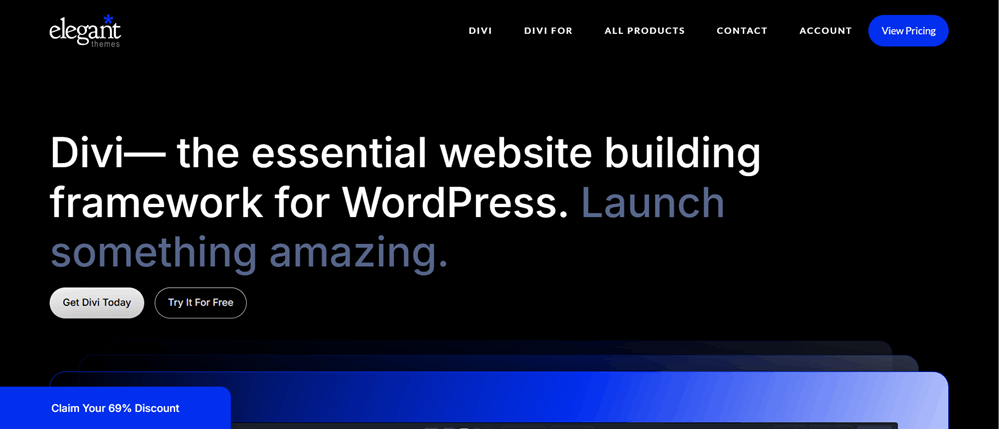
Divi is a well-known WordPress theme that takes a more design-focused approach to website building. It is especially popular among users who want to create visually customized websites using a visual drag-and-drop editing experience.
Instead of relying entirely on the default WordPress editing system, Divi provides its own website-building tools that allow users to design pages and layouts with greater visual control.
This makes Divi a good choice for creative professionals, agencies, freelancers, and businesses that want to build unique-looking websites without writing large amounts of code.
Why Choose Divi?
- Powerful visual website builder
- Drag-and-drop editing experience
- Extensive design customization
- Suitable for creative websites
- Large number of layout possibilities
- Useful for agencies and freelancers
Divi Pricing Plans
Divi offers flexible pricing options for WordPress users who want to build professional websites with a powerful visual website builder. You can choose between Divi Yearly and Divi Lifetime plans, depending on whether you prefer annual billing or a one-time payment.
Both pricing options include plans for users who only need the Divi theme and builder, as well as a more complete Divi Pro package with additional services and tools.
Divi Yearly Pricing
The Divi Yearly option is suitable for users who prefer a lower upfront cost and want access to Divi through an annual subscription.
Divi – $89/Year
Best for: Website owners, bloggers, freelancers, and WordPress users who want to build websites with Divi’s visual no-code builder.
The standard Divi Yearly plan is designed for website owners and WordPress professionals who want access to the Divi Theme and Divi Builder.
The plan allows you to use Divi on unlimited websites, making it useful for users managing multiple personal or client projects.
Key Features:
- Divi Theme and Builder
- Unlimited website usage
- Divi Dash
- 24/7 customer support
- Risk-free guarantee
Divi Pro – $277/Year
Best for: Web professionals, agencies, developers, and users who manage multiple websites and want access to Divi’s complete ecosystem.
Divi Pro is the more advanced yearly package and includes the Divi Theme and Builder along with additional Divi services and tools.
According to the pricing shown, Divi Pro includes several premium services designed to provide a more complete website-building and management experience.
Divi Pro Includes:
- Divi with unlimited website usage
- Divi Dash
- Divi AI
- Divi Cloud
- Divi VIP
- Divi Teams
- Additional Divi Pro benefits
- Faster support
- Up to 4 team members
Divi Lifetime Pricing
For users who prefer to make a one-time payment instead of renewing every year, Divi also offers lifetime pricing.
The lifetime plans provide long-term access to the selected Divi package, making them a suitable option for users who plan to use Divi for several years.
Divi Lifetime – $249 One-Time
Best for: Bloggers, website owners, freelancers, and long-term Divi users who want to avoid annual renewal costs.
The standard Divi Lifetime plan provides access to the Divi Theme and Builder for a one-time payment.
Like the yearly plan, it supports unlimited website usage, allowing users to build and manage multiple websites without purchasing separate licenses.
Key Features:
- Divi Theme and Builder
- Unlimited website usage
- Divi Dash
- One-time payment
- 24/7 customer support
- Risk-free guarantee
Divi Lifetime + Pro – $297 Today
Best for: Agencies, developers, and professionals who want lifetime access to Divi while also using advanced Divi Pro services.
The Divi Lifetime + Pro package combines lifetime access to Divi with additional Pro services.
The pricing shown includes a one-time payment for Divi and Divi Dash, while the additional Pro services require a separate recurring payment.
This plan includes the complete Divi ecosystem, including AI, cloud storage, team management, and premium support features.
Divi Lifetime + Pro Includes:
- Divi with unlimited website usage
- Divi Dash
- Divi AI
- Divi Cloud
- Divi VIP
- Divi Teams
- Faster support
- Up to 4 team members
- Lifetime access to Divi and Divi Dash
Divi Yearly vs Lifetime: Which Plan Should You Choose?
The best Divi plan depends on your budget and how long you plan to use the platform.
The Divi Yearly plans have a lower initial cost and may be a good option if you want to use Divi every year or prefer not to make a large upfront investment.
The Divi Lifetime plans require a higher payment initially but can offer better long-term value for users who plan to use Divi for several years.
If you only need the Divi Theme and Builder, the standard Divi plan may be enough. However, if you want access to additional tools such as Divi AI, Divi Cloud, Divi Teams, Divi VIP, and enhanced support, the Divi Pro option provides a more complete package.
6. Avada
Best for: Businesses, agencies, portfolios, and users looking for a feature-rich multipurpose theme.
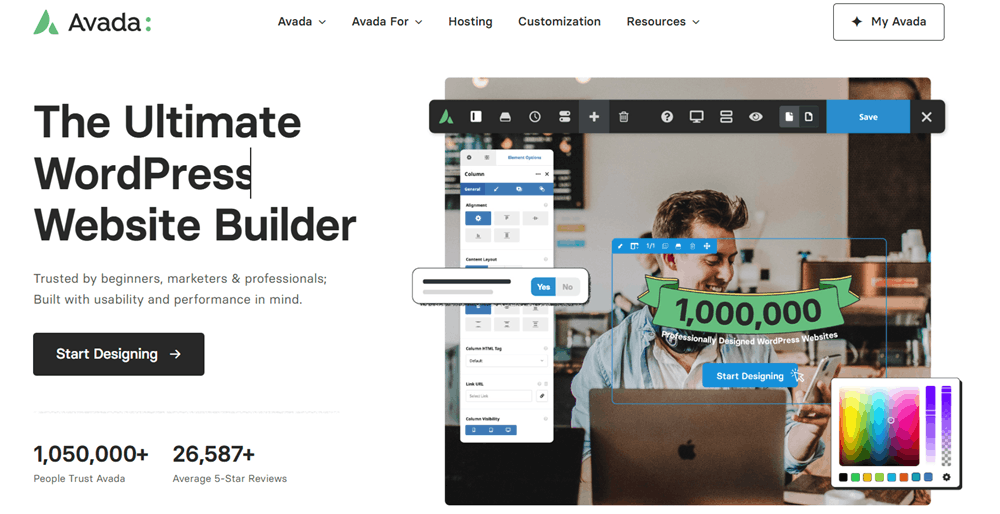
Avada is a feature-rich multipurpose WordPress theme designed for users who want access to a wide range of website-building tools and customization options.
It can be used to create many different types of websites, including business websites, portfolios, online stores, agency websites, and more. Its flexible approach allows users to create unique layouts and designs without starting from a completely blank page.
Because Avada includes a large number of features and options, it may be particularly appealing to users who prefer an all-in-one website-building solution.
Why Choose Avada?
- Multipurpose WordPress theme
- Extensive design and layout options
- Built for different types of websites
- Visual website-building tools
- Suitable for business and creative projects
- Flexible customization features
Avada Pricing Plans
Avada offers two main licensing options: the Regular License and the Extended License. Both plans give you access to the Avada WordPress theme, but they are designed for different types of projects and usage requirements.
The right license for you depends mainly on how you plan to use the theme and whether your final product will involve charges to end users.
Avada Regular License – $69
Best for: Bloggers, business owners, freelancers, agencies, and developers creating a standard website for themselves or a client.
The Regular License is the standard option for most users. According to the pricing shown, it costs $69 and is suitable for you or one client to use in a single end product.
With this license, end users are not charged for using the final product.
This makes the Regular License a practical choice for common WordPress projects such as business websites, blogs, portfolios, agency websites, and standard online projects.
Key Points:
- Price: $69
- Use by you or one client
- Use in one single end product
- End users are not charged
- The total price includes the item price and buyer fee
Avada Extended License – $2,950
Best for: Commercial platforms, premium products, paid services, and projects where users are charged to access or use the final product.
The Extended License is designed for projects with commercial usage requirements that go beyond the Regular License.
It allows you or one client to use Avada in a single end product where end users can be charged for access or use.
The Extended License costs $2,950, making it more suitable for larger commercial projects, premium platforms, or products where the final users are expected to pay.
Key Points:
- Price: $2,950
- Use by you or one client
- Use in one single end product
- End users can be charged
- The total price includes the item price and buyer fee
Which Avada License Should You Choose?
For most website owners, bloggers, businesses, freelancers, and agencies, the Regular License should be enough. It provides access to Avada for a standard single end product where users are not charged for using that product.
The Extended License is only necessary if you are creating a commercial end product where users will be charged for access or use.
If you are simply building a business website, blog, portfolio, or regular website for yourself or a client, the $69 Regular License is likely the more suitable and cost-effective option.
7. REHub
Best for: Affiliate marketers, product review websites, coupon websites, directories, marketplaces, and comparison platforms.
REHub is different from many traditional WordPress themes because it focuses on websites that involve affiliate marketing, product comparisons, coupons, directories, marketplaces, and online monetization.
If you are planning to build an affiliate website, deal website, product review platform, coupon website, or directory, REHub offers features designed specifically for these types of projects.
This makes it a more specialized option compared to general-purpose themes like GeneratePress or Astra. However, for the right type of website, its built-in functionality can make it a useful choice.
Why Choose REHub?
- Designed for affiliate and monetization websites
- Suitable for product reviews and comparisons
- Useful for coupon and deal websites
- Can be used for directories and marketplaces
- WooCommerce compatibility
- Specialized features for niche projects
REHub Pricing Plans
REHub offers two main licensing options: the Regular License and the Extended License. Both licenses allow you to use the REHub WordPress theme, but they are designed for different types of projects and commercial requirements.
The right option depends on how you plan to use your final website or product and whether end users will be charged for access or usage.
REHub Regular License – $59
Best for: Affiliate marketers, bloggers, website owners, freelancers, and businesses building a standard REHub-powered website.
The REHub Regular License is the standard and most affordable option. It costs $59 and allows you or one client to use the theme in a single end product.
Under this license, the final product can be used by end users, but you cannot charge users specifically for access to or use of that end product.
This license is suitable for most standard WordPress projects, including affiliate websites, coupon websites, product comparison platforms, blogs, directories, and marketplace-style websites.
Key Points:
- Price: $59
- Use by you or one client
- Valid for one single end product
- End users are not charged for using the end product
- Includes the item price and buyer fee
REHub Extended License – $3,000
Best for: Paid platforms, premium services, commercial products, and projects where users are charged to access or use the final product.
The Extended License is designed for larger commercial projects where the final product will involve charging end users.
It costs $3,000 and allows you or one client to use REHub in a single end product where end users can be charged for access or usage.
This makes the Extended License more suitable for premium platforms, paid membership projects, commercial applications, or other monetized products built using REHub.
Key Points:
- Price: $3,000
- Use by you or one client
- Valid for one single end product
- End users can be charged
- Designed for commercial and monetized projects
- Includes the item price and buyer fee
Which REHub License Should You Choose?
For most users, the Regular License will be the better choice. If you are building a typical affiliate website, coupon website, product review platform, comparison site, blog, directory, or marketplace project, the $59 Regular License is generally suitable.
The Extended License is mainly intended for projects where the final product itself charges end users for access or usage. Because of its significantly higher price, it is generally more appropriate for larger commercial or premium projects.
How to Choose the Best WordPress Theme
The best WordPress theme depends on the type of website you want to create. There is no single theme that will be perfect for every project.
Before choosing a theme, consider the following factors:
1. Website Speed and Performance
A lightweight and well-optimized theme can help provide a smoother experience for visitors. Avoid choosing a theme simply because it has a large number of features. Instead, focus on whether those features are actually useful for your website.
2. Customization Options
Consider how much control you need over your website’s design. Some themes focus on simplicity, while others provide advanced controls for layouts, typography, colors, headers, and other elements.
3. SEO-Friendly Structure
Your theme should work well with modern SEO practices and popular WordPress SEO plugins. A well-built theme can provide a solid foundation, while your content, optimization, and overall website setup will continue to play an important role in search performance.
4. Mobile Responsiveness
A large number of visitors may access your website from mobile devices. Make sure the theme provides a good experience across desktops, tablets, and smartphones.
5. Compatibility
Before selecting a theme, check whether it works well with the plugins and tools you plan to use. This is particularly important for WooCommerce stores, page builders, SEO plugins, membership websites, and other specialized projects.
6. Your Website’s Purpose
The type of website you are building should strongly influence your decision. For example, a lightweight blog may benefit from a theme like GeneratePress, while an affiliate comparison website may require specialized functionality available in a theme such as REHub.
Which WordPress Theme Is Best for You?
Here is a simple breakdown to help you choose:
- Choose GeneratePress if you want a lightweight and performance-focused theme.
- Choose Kadence if you want a balance between customization and ease of use.
- Choose Astra if you want flexibility and a large selection of starter website designs.
- Choose Blocksy if you prefer a modern theme with advanced customization options.
- Choose Divi if visual design and drag-and-drop editing are your main priorities.
- Choose Avada if you want a feature-rich multipurpose website-building solution.
- Choose REHub if you are building an affiliate, coupon, directory, marketplace, or product comparison website.
Frequently Asked Questions
The best WordPress theme depends on your specific needs. GeneratePress is a strong choice for performance-focused websites, while Kadence, Astra, and Blocksy offer flexible customization. Divi and Avada are suitable for design-focused projects, while REHub is built for specialized websites such as affiliate, coupon, directory, and marketplace platforms.
A lightweight and well-coded theme can provide a good foundation for SEO. Themes such as GeneratePress, Kadence, Astra, and Blocksy are popular among users looking for performance and SEO-friendly website structures. However, your content quality, technical SEO, backlinks, and overall optimization also play an important role in search rankings.
Yes, many free WordPress themes can be suitable for blogs, personal websites, and small business projects. However, premium versions may offer additional customization options, advanced features, starter templates, and support.
Kadence and Astra can be good options for beginners because they offer user-friendly customization options and ready-made website designs. The best choice will depend on the type of website you want to create.
GeneratePress is widely known for its lightweight approach and performance-focused design. However, actual website speed also depends on your hosting, plugins, images, caching, website configuration, and other optimization factors.
Yes, you can change your WordPress theme later. However, switching themes may affect your website’s design, layouts, theme-specific settings, and certain features. It is a good idea to test major changes before applying them to a live website.
Final Verdict
Choosing the best WordPress theme in 2026 is not simply about selecting the theme with the most features. The right choice depends on your website’s goals, the type of content you plan to publish, the level of customization you need, and the tools you want to use.
For users who prioritize speed and simplicity, GeneratePress can be an excellent option. Kadence, Astra, and Blocksy offer strong flexibility for a wide range of websites, while Divi and Avada are better suited to users looking for more extensive visual design tools. If your project focuses on affiliate marketing, coupons, product comparisons, or marketplaces, REHub may be worth considering.
Take some time to compare the features and choose the theme that best matches your specific requirements. A good WordPress theme can provide a strong foundation for your website and make it easier to grow and manage your project over time.