Welcome to our guide to the Best WordPress Plugins for 2026! Whether you’re building a new website, running a blog, managing an online store, or looking to improve your existing site, the right plugins can help you enhance your website’s SEO, speed, security, functionality, and overall performance. In this guide, we’ll explore some of the essential WordPress plugins that can help you build, manage, and grow a better website in 2026.
Quick Comparison of the Best WordPress Plugins
Here’s a quick comparison of the best WordPress plugins featured in this guide. Each plugin serves a different purpose and can help improve your website’s SEO, security, design, analytics, functionality, speed, and backups.
| Plugin | Best For | Key Benefit |
|---|---|---|
| Rank Math | SEO | Helps optimize your website and content for search engines |
| Wordfence | Security | Protects your WordPress website from security threats |
| Elementor | Page Building | Helps you create and customize professional website pages |
| MonsterInsights | Analytics | Makes it easier to understand your website traffic and visitor data |
| WPForms | Forms | Allows you to create contact forms and other forms easily |
| WP Rocket | Website Speed | Improves website performance with caching and optimization features |
| LiteSpeed Cache | Website Speed | Provides caching and performance optimization tools for WordPress |
| UpdraftPlus | Backups | Helps you create, schedule, and restore website backups |
Now, Let’s Take a Closer Look at Each WordPress Plugin
Now that we’ve compared the plugins, let’s take a closer look at what each one offers. These plugins cover some of the most important areas of running a WordPress website, including SEO, security, page design, analytics, forms, performance, and backups.
1. Rank Math
Best WordPress Plugin for SEO
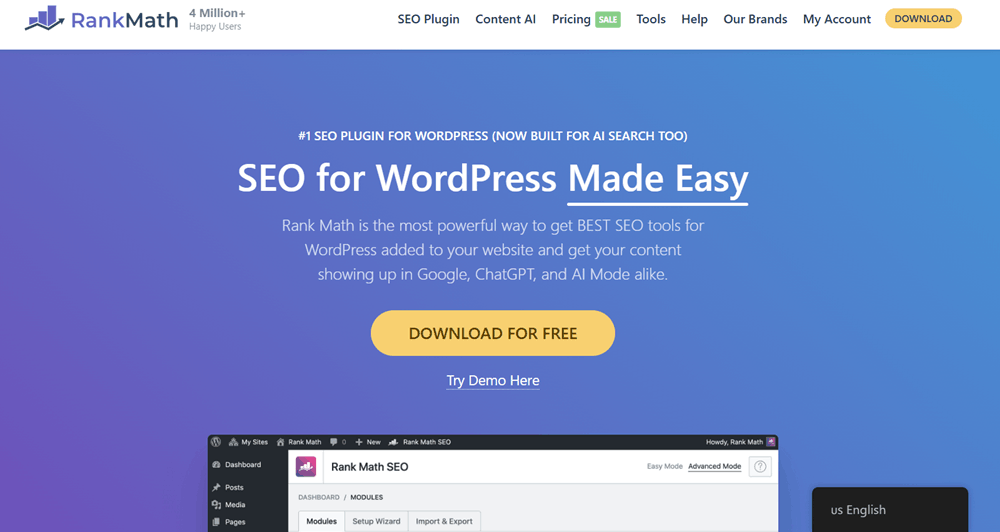
Rank Math is one of the most popular WordPress SEO plugins designed to help website owners optimize their content for search engines. It provides a range of tools that make it easier to manage on-page SEO without needing advanced technical knowledge.
With Rank Math, you can optimize your posts and pages for target keywords, create XML sitemaps, add schema markup, manage redirects, and monitor various SEO-related settings directly from your WordPress dashboard. Its user-friendly interface suits beginners, while its advanced features also benefit experienced website owners.
If SEO is an important part of your website strategy, Rank Math can be a valuable plugin for improving your content optimization and managing essential SEO tasks in one place.
Rank Math Pricing Plans
Rank Math offers several pricing plans designed for different types of WordPress users, from individual bloggers and website owners to businesses and agencies managing multiple client websites. The available plans include Pro, Business, Agency, and SEO + Speed.
Each plan comes with a different set of features, keyword tracking limits, website support, and additional tools. This makes it easier to choose a plan based on the size of your website, the number of sites you manage, and your overall SEO requirements.
Let’s take a closer look at each Rank Math pricing plan.
Rank Math Pro – €7.99/month
Best for: Bloggers, individuals, and solopreneurs who want advanced SEO tools for personal websites.
The Rank Math Pro plan is an affordable option for individual website owners who want access to advanced SEO features. It supports unlimited personal websites and allows users to track up to 500 keywords.
The plan includes useful SEO tools such as a Powerful Schema Generator, AI Link Genius, Broken Link Checker, Automated Keyword Linking, and an Advanced Keyword Rank Tracker. Users also get unlimited keyword optimization, automated SEO sitemaps, and 24/7 support.
This plan is a suitable choice for bloggers, affiliate marketers, and individuals who manage one or more personal WordPress websites.
Key Points:
- Price: €7.99/month
- Unlimited personal websites
- Track 500 keywords
- Powerful Schema Generator
- Free Content AI Starter Plan
- AI Link Genius
- Broken Link Checker
- Automated Keyword Linking
- Advanced Keyword Rank Tracker
- Comprehensive SEO Score
- Unlimited Keyword Optimization
- Automated SEO Sitemaps
- 24/7 Support
Rank Math Business – €24.99/month
Best for: Freelancers, businesses, and website owners managing multiple client websites.
The Rank Math Business plan is designed for users who need more flexibility than the Pro plan. It supports up to 100 client websites and allows users to track up to 10,000 keywords.
Along with the advanced SEO tools available in the lower-tier plans, Business users get access to a higher keyword tracking limit and features suitable for managing SEO across multiple websites.
The plan includes the Powerful Schema Generator, Free Content AI Trial (Creator Plan), AI Link Genius, Broken Link Checker, and Automated Keyword Linking. It also includes unlimited keyword optimization, automated SEO sitemaps, and 24/7 priority support.
For freelancers and businesses managing client websites, this plan provides more room to grow while offering a complete set of SEO tools.
Key Points:
- Price: €24.99/month
- Supports 100 client websites
- Track 10,000 keywords
- Powerful Schema Generator
- Free Content AI Trial (Creator Plan)
- AI Link Genius
- Broken Link Checker
- Automated Keyword Linking
- Advanced Keyword Rank Tracker
- Comprehensive SEO Score
- Unlimited Keyword Optimization
- Automated SEO Sitemaps
- 24/7 Priority Support
Rank Math Agency – €54.99/month
Best for: Agencies and professionals managing a large number of client websites.
The Rank Math Agency plan is the highest-tier option shown in the Rank Math Pro pricing section. It is designed for agencies and professionals handling a large volume of client websites.
This plan supports up to 500 client websites and includes the ability to track up to 50,000 keywords, making it suitable for larger SEO operations.
It includes advanced features such as the Powerful Schema Generator, Free Content AI Trial (Expert Plan), AI Link Genius, Broken Link Checker, Automated Keyword Linking, and an Advanced Keyword Rank Tracker.
Users also receive unlimited keyword optimization, automated SEO sitemaps, a comprehensive SEO score, and 24/7 priority support.
The Agency plan is a strong option for SEO agencies and professionals who need higher limits and the ability to manage SEO across a large number of client websites.
Key Points:
- Price: €54.99/month
- Supports 500 client websites
- Track 50,000 keywords
- Powerful Schema Generator
- Free Content AI Trial (Expert Plan)
- AI Link Genius
- Broken Link Checker
- Automated Keyword Linking
- Advanced Keyword Rank Tracker
- Comprehensive SEO Score
- Unlimited Keyword Optimization
- Automated SEO Sitemaps
- 24/7 Priority Support
SEO + Speed – €11.99/month
Best for: Website owners who want to focus on both SEO and website performance.
The SEO + Speed plan is designed for users who want a combination of SEO tools and website performance optimization. According to the pricing shown, this plan supports unlimited personal websites and allows users to track up to 500 keywords.
In addition to SEO features such as the Powerful Schema Generator, AI Link Genius, Broken Link Checker, Automated Keyword Linking, and Advanced Keyword Rank Tracker, this plan also includes features focused on website performance.
Users get access to Instant Speed Boost and Core Web Vitals Optimization, making this plan suitable for website owners who want to improve both search optimization and website speed.
Key Points:
- Price: €11.99/month
- Unlimited personal websites
- Track 500 keywords
- Free Content AI Starter Plan
- Powerful Schema Generator
- Instant Speed Boost
- Core Web Vitals Optimization
- AI Link Genius
- Broken Link Checker
- Automated Keyword Linking
- Advanced Keyword Rank Tracker
- 24/7 Priority Support
Which Rank Math Plan Should You Choose?
The right Rank Math plan depends on the number of websites you manage and the level of SEO tools you need.
The Rank Math Pro plan is suitable for bloggers, individuals, and solopreneurs who want advanced SEO tools for personal websites. The Business plan is a better fit for freelancers and businesses managing multiple client websites, while the Agency plan is designed for larger agencies that require higher website and keyword tracking limits.
If you want to focus on both SEO and website performance, the SEO + Speed plan may be worth considering.
Ultimately, the best plan depends on your website requirements, the number of sites you manage, and the level of SEO and performance tools you need.
2. Wordfence
Best WordPress Plugin for Website Security
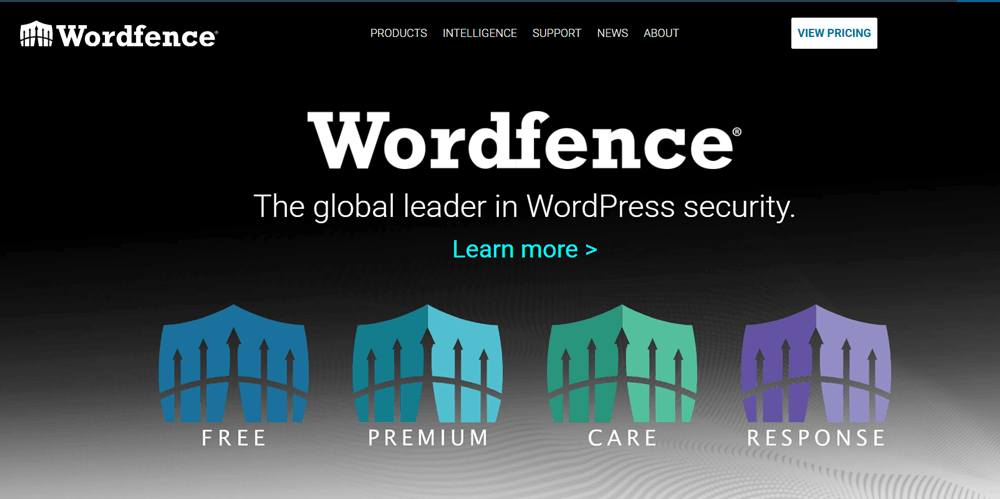
Website security is an important part of managing any WordPress website, and Wordfence is a popular plugin designed to help protect your site from common security threats.
The plugin includes features such as a web application firewall, malware scanning, login security, and tools for monitoring suspicious activity. These features can help website owners identify potential security issues and take action to protect their websites.
Wordfence is especially useful for WordPress users who want an additional layer of security without having to manage everything manually. While no single plugin can guarantee complete protection, using a reliable security solution can be an important part of a broader website security strategy.
Wordfence Pricing Plans
Wordfence offers four different security plans designed for different types of WordPress website owners. Whether you run a personal blog, manage a business website, or operate a mission-critical online platform, you can choose a plan based on the level of protection and support you need.
The available plans are Wordfence Free, Wordfence Premium, Wordfence Care, and Wordfence Response. Each plan provides a different level of security features, threat intelligence, and professional support.
Let’s take a closer look at each Wordfence pricing plan.
Wordfence Free
Best for: Personal websites, bloggers, and beginners looking for essential WordPress security.
Wordfence Free is a good starting point for WordPress users who want to add an extra layer of security to their websites without paying for a premium plan. It provides essential tools to help protect, detect, and secure your WordPress site.
The Free plan includes Wordfence’s industry-leading firewall, which helps protect websites from common security threats. However, firewall rules and malware signatures are delayed by 30 days compared to the real-time updates available with paid plans.
For bloggers, personal websites, and smaller WordPress sites, the Free plan can be a useful option for basic website protection.
Key Points:
- Price: Free
- Industry-leading firewall
- Essential WordPress security tools
- Helps protect, detect, and secure your website
- Firewall rules and malware signatures delayed by 30 days
- Suitable for personal and small websites
Wordfence Premium – $149/year
Best for: Website owners who want real-time security protection and premium support.
Wordfence Premium is designed for users who want more advanced and timely protection for their WordPress websites. The main advantage of this plan is access to real-time threat intelligence, including updated firewall rules and malware signatures.
This helps website owners receive protection against emerging threats without waiting for delayed updates. The plan also includes additional security features and access to Premium Support.
Wordfence Premium can be a suitable choice for business websites, professional blogs, online stores, and other websites where stronger security is important.
Key Points:
- Price: $149/year
- Real-time threat intelligence
- Real-time firewall rule updates
- Real-time malware signature updates
- Protection against emerging threats
- Advanced security features
- Premium Support
Wordfence Care – $590/year
Best for: Business owners who want professional help managing their WordPress security.
Wordfence Care is designed for businesses that need a higher level of assistance with their website security. In addition to Wordfence’s security tools, this plan includes professional support to help with the installation, configuration, and optimization of Wordfence.
The plan also provides monitoring and hands-on support, making it a useful option for website owners who do not want to handle every security-related task on their own.
Wordfence Care is particularly suitable for businesses that value expert assistance and want a more managed approach to WordPress security.
Key Points:
- Price: $590/year
- Professional Wordfence installation
- Configuration and optimization assistance
- Monitoring and hands-on support
- Advanced WordPress security protection
- Suitable for business websites
Wordfence Response – $1,250/year
Best for: Mission-critical websites that require rapid security assistance and response.
Wordfence Response is the highest-level plan shown in the pricing options. It is designed for mission-critical websites where downtime or security issues could have a significant financial impact.
One of its main benefits is a 1-hour response time, providing faster access to professional assistance when an important security issue needs attention. The plan is also available 24/7/365, making it suitable for websites that require continuous security support.
This plan can be a strong option for larger businesses and organizations that need the highest level of WordPress security assistance and rapid response.
Key Points:
- Price: $1,250/year
- 1-hour response time
- Available 24/7/365
- Fast access to security assistance
- Designed for mission-critical websites
- Suitable for websites where downtime can have a major impact
Which Wordfence Plan Should You Choose?
The right Wordfence plan depends on your website’s size, security needs, and the level of support you require.
Wordfence Free is a good choice for personal websites and beginners who need essential security protection. Wordfence Premium is better suited for website owners who want real-time threat intelligence and premium support.
If you run a business and want professional assistance with configuring and managing your website security, Wordfence Care may be a better option. For mission-critical websites that require the fastest possible response and round-the-clock support, Wordfence Response offers the highest level of service.
Ultimately, the best plan is the one that matches the importance of your website and provides the right balance of security features, support, and budget.
3. Elementor
Best WordPress Plugin for Page Building

Elementor is a widely used WordPress page builder that allows users to create and customize website pages with a visual drag-and-drop editor. Instead of relying entirely on code, you can design different sections of your website and see your changes in real time.
It offers a variety of widgets, templates, and customization options that can help you create landing pages, homepages, service pages, and other website layouts. This makes it particularly useful for beginners and website owners who want greater control over their site’s design.
Whether you’re building a simple business website or creating custom landing pages, Elementor can make the design process more flexible and accessible.
Elementor Pricing Plans
Elementor offers different pricing plans designed for users with different website creation needs. Whether you are building a single website, managing multiple client websites, or looking for an all-in-one solution with additional AI and website management tools, Elementor provides several options.
The pricing plans shown here are divided into Editor Pro plans and All-in-One Web Creation plans. The available options include Essential, Advanced Solo, One, and One Agency.
Let’s take a closer look at each Elementor pricing plan.
Elementor Essential – $5/month
Best for: Individuals who want to build and customize a single website with Elementor Pro features.
The Essential plan is Elementor’s entry-level paid option for users who need advanced website-building tools for one website. It includes access to Elementor’s core design features, allowing you to create and customize professional WordPress websites without relying heavily on custom code.
With this plan, you get access to 57 Editor Pro Widgets, Theme Builder, Dynamic Content, Form Builder, and Popup Builder. It also includes the ability to store 10 Cloud Templates.
The Essential plan is billed annually at $60, making it a suitable option for bloggers, freelancers, and website owners managing a single website.
Key Points:
- Price: $5/month
- Billed annually: $60
- Websites: 1 site
- 57 Editor Pro Widgets
- Theme Builder
- Dynamic Content
- Form Builder
- Popup Builder
- Store 10 Cloud Templates
Elementor Advanced Solo – $7/month
Best for: Users who need more advanced Elementor features for a single website.
The Advanced Solo plan is designed for users who want additional functionality beyond the Essential plan. It supports one website and includes Elementor’s professional website-building tools.
Along with 57 Editor Pro Widgets, Theme Builder, Dynamic Content, Form Builder, and Popup Builder, this plan also includes features such as Custom Code & CSS and eCommerce features.
Users also get access to more cloud storage for templates, with the ability to store up to 20 Cloud Templates.
The plan costs $7 per month and is billed annually at $84.
Key Points:
- Price: $7/month
- Billed annually: $84
- Websites: 1 site
- 57 Editor Pro Widgets
- Theme Builder
- Dynamic Content
- Form Builder
- Popup Builder
- Custom Code & CSS
- eCommerce features
- Store 20 Cloud Templates
Elementor One – $15/month
Best for: Users who want a more complete website creation experience with additional AI-powered and optimization tools.
The One plan is part of Elementor’s All-in-One Web Creation offering. It combines Elementor’s website-building tools with additional features designed to help users create, optimize, and manage their websites from one platform.
The plan includes 25,000 monthly One credits and supports one website. Along with the Elementor Pro features, it includes access to AI-generated code, images, and layouts, as well as optimization tools such as image optimization, site accessibility, and Cookie Consent.
For website management, users can also store up to 30 Cloud Templates, along with access to additional management features.
The One plan costs $15 per month and is billed annually at $180.
Key Points:
- Price: $15/month
- Billed annually: $180
- Websites: 1 site
- 25,000 monthly One credits
- 57 Editor Pro Widgets
- Theme Builder
- Dynamic Content
- Form Builder
- Popup Builder
- Custom Code & CSS
- eCommerce features
- AI-generated code, images, and layouts
- Image optimization
- Site accessibility
- Cookie Consent
- Store 30 Cloud Templates
Elementor One Agency – $36/month
Best for: Agencies and professionals managing multiple or unlimited websites.
The One Agency plan is designed for agencies, developers, and professionals who manage multiple websites. Unlike the other plans shown above, it supports unlimited websites.
The plan includes 35,000 monthly One credits and provides access to the complete Elementor website creation experience. Users get the same core design and development features, including 57 Editor Pro Widgets, Theme Builder, Dynamic Content, Form Builder, Popup Builder, Custom Code & CSS, and eCommerce features.
It also includes AI-powered tools, optimization features, and additional website management capabilities. Users can store up to 50,000 Cloud Templates, making it suitable for agencies working on multiple projects.
The One Agency plan costs $36 per month and is billed annually at $432.
Key Points:
- Price: $36/month
- Billed annually: $432
- Unlimited websites
- 35,000 monthly One credits
- 57 Editor Pro Widgets
- Theme Builder
- Dynamic Content
- Form Builder
- Popup Builder
- Custom Code & CSS
- eCommerce features
- AI-generated code, images, and layouts
- Image optimization
- Site accessibility
- Cookie Consent
- Store up to 50,000 Cloud Templates
Which Elementor Plan Should You Choose?
The right Elementor plan depends on how many websites you manage and which features you need.
The Essential plan is a good option for individuals who want Elementor Pro features for a single website at an affordable price. If you need additional features such as Custom Code, CSS, and eCommerce functionality, the Advanced Solo plan may be a better choice.
For users who want a more complete solution with AI tools, optimization features, and website management capabilities, the One plan offers a broader set of tools for a single website.
Finally, the One Agency plan is designed for agencies and professionals managing multiple websites. With unlimited sites and 35,000 monthly One credits, it can be a suitable option for users handling a larger number of client projects.
Ultimately, the best Elementor plan depends on your budget, number of websites, and the level of design, AI, optimization, and management tools you need.
4. MonsterInsights
Best WordPress Plugin for Website Analytics
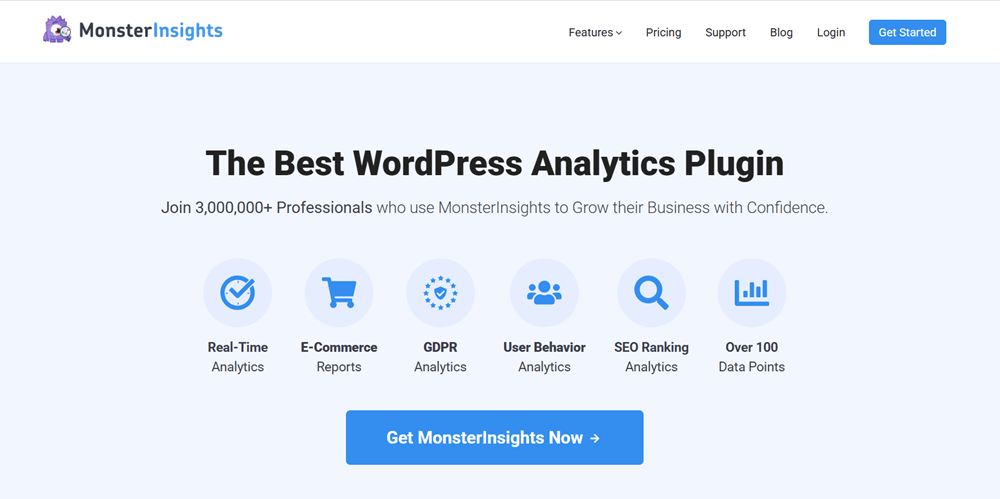
Understanding how visitors interact with your website is important for making better content and marketing decisions. MonsterInsights helps make website analytics easier to access from within your WordPress dashboard.
The plugin is designed to simplify the process of connecting and viewing important website data. It can help you understand metrics such as website traffic, popular pages, visitor behavior, and other useful insights depending on your analytics setup.
Instead of regularly switching between different platforms to check your website data, MonsterInsights provides a convenient way to access important information directly inside WordPress. This can be especially helpful for beginners who want a simpler way to understand their website’s performance.
MonsterInsights Pricing Plans
MonsterInsights offers several pricing plans designed for different types of WordPress users. Whether you run a single website, manage multiple websites, operate an online store, or need advanced analytics and tracking features, there is a plan to match your requirements.
The pricing plans shown are Plus, Pro, and Elite. Each plan includes a different level of Google Analytics integration, tracking features, and website support.
Let’s take a closer look at each MonsterInsights pricing plan.
MonsterInsights Plus – $99.50/year
Best for: Bloggers, small businesses, and website owners who need essential Google Analytics tracking.
The MonsterInsights Plus plan is a suitable option for users who want to connect Google Analytics with WordPress and access important website data directly from their WordPress dashboard.
It supports one website and includes standard analytics features that can help you understand your website traffic and visitor behavior. Users can access reports such as the Publisher Report, Search Keywords Report, Source/Medium Report, Landing Page Report, and Technology Report.
The Plus plan also includes features such as standard tracking, automatic event tracking, outbound link and affiliate link tracking, and more.
With an introductory price of $99.50 per year, this plan can be a good choice for bloggers and small website owners who want a simple and powerful analytics solution.
Key Points:
- Price: $99.50/year
- Use on 1 site
- Standard analytics features
- Publisher Report
- Search Keywords Report
- Source/Medium Report
- Landing Page Report
- Technology Report
- Automatic events tracking
- Outbound and affiliate link tracking
- Email summaries
- Growth tools
- Standard support
MonsterInsights Pro – $199.50/year
Best for: Growing websites and online businesses that need advanced analytics and eCommerce tracking.
The MonsterInsights Pro plan is designed for website owners who need more advanced tracking capabilities. It includes everything available in the Plus plan, along with additional reports and tools for understanding user activity and conversions.
This plan supports up to 5 websites and includes advanced features such as the eCommerce Report, Form Conversion Report, Custom Dimensions Report, and Advanced Tracking.
MonsterInsights Pro also provides additional tracking capabilities for video content, file downloads, PPC ad tracking, and affiliate links. These features can be especially useful for online stores, marketers, and businesses that want deeper insights into how visitors interact with their websites.
The Pro plan is available for $199.50 per year.
Key Points:
- Price: $199.50/year
- Use on up to 5 sites
- Everything included in Plus
- Advanced analytics features
- eCommerce Report
- Form Conversion Report
- Custom Dimensions Report
- Advanced tracking
- Video tracking
- File download tracking
- PPC ad tracking
- Affiliate link tracking
- Advanced growth tools
- Priority support
MonsterInsights Elite – $299.50/year
Best for: Agencies, larger businesses, and users managing multiple websites.
The MonsterInsights Elite plan is the most advanced option among the plans shown. It is designed for agencies, professionals, and larger businesses that need access to the complete set of MonsterInsights features.
The plan includes everything in Pro and supports a larger number of websites. It also provides additional tools and advanced functionality for users who require more detailed analytics and tracking capabilities.
Elite users can access advanced features such as WordPress multisite support, UserFeedback Elite, custom reports, NPS reporting, audience insights, surveys, and other advanced business tools.
With a price of $299.50 per year, the Elite plan is a suitable option for agencies or businesses that manage multiple WordPress websites and want the highest level of analytics functionality.
Key Points:
- Price: $299.50/year
- Supports up to 5 sites, with options for additional sites
- Everything included in Pro
- WordPress multisite support
- UserFeedback Elite
- Custom Reports
- NPS Reporting
- Advanced Insights
- Survey and feedback features
- Additional growth tools
- Premium support
Which MonsterInsights Plan Should You Choose?
The right MonsterInsights plan depends on the number of websites you manage and the level of analytics you need.
The Plus plan is a good choice for bloggers and small website owners who want essential Google Analytics reports and tracking features. The Pro plan is better suited for growing businesses and online stores that need advanced tracking, eCommerce reports, form conversion tracking, and support for multiple websites.
If you manage multiple websites or run an agency and want access to MonsterInsights’ most advanced analytics, reporting, and business tools, the Elite plan may be the better option.
Ultimately, the best MonsterInsights plan depends on your website size, tracking requirements, number of sites, and the level of analytics insights you need.
5. WPForms
Best WordPress Plugin for Creating Forms
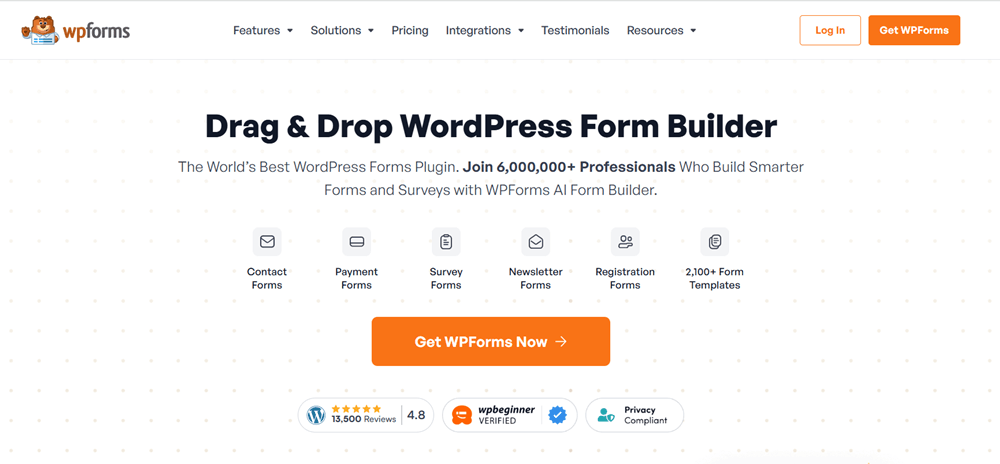
WPForms is a beginner-friendly WordPress form builder that makes it easy to create different types of forms for your website. From simple contact forms to feedback forms, newsletter signup forms, and other custom forms, it provides a straightforward way to collect information from your visitors.
Its drag-and-drop form builder allows users to create forms without needing coding knowledge. You can add different fields, customize the form layout, and place the completed form on your WordPress pages or posts.
For website owners who need an easy and flexible solution for creating forms, WPForms can be a useful addition to their WordPress toolkit.
WPForms Pricing Plans
WPForms offers several pricing plans designed for different types of WordPress users. Whether you need a simple contact form for one website, advanced forms for a growing business, or powerful tools for managing forms across multiple websites, WPForms provides different options to match your needs.
The plans shown here are Basic, Plus, Pro, and Elite. Each plan offers a different level of features, integrations, website licenses, and support.
Let’s take a closer look at each WPForms pricing plan.
WPForms Basic – $49.50/year
Best for: Beginners, bloggers, and small website owners who need essential form-building features.
The WPForms Basic plan is a good starting option for users who want to create professional WordPress forms without dealing with complicated code. It supports one website and includes unlimited forms, submissions, and users.
This plan comes with essential features such as Form Builder, Entry Management, Advanced Form Fields, Smart Conditional Logic, File Uploads, Spam Protection, and Form Landing Pages.
You can also customize your forms and use features such as custom thank-you pages and standard support.
The Basic plan is suitable for bloggers, portfolio websites, and small businesses that primarily need contact forms, feedback forms, and other standard forms.
Key Points:
- Price: $49.50/year
- Use on 1 site
- Unlimited forms
- Unlimited submissions
- Unlimited users
- Drag-and-drop Form Builder
- Entry Management
- Advanced Form Fields
- Smart Conditional Logic
- File Uploads
- Spam Protection
- Form Customization
- Standard Support
WPForms Plus – $99.50/year
Best for: Growing websites that need marketing integrations and more advanced form functionality.
The WPForms Plus plan includes everything available in the Basic plan while adding more advanced features and integrations. It supports up to 3 sites, making it suitable for users who manage multiple websites.
One of the main benefits of this plan is access to popular marketing and email integrations. Based on the pricing plan shown, it includes integrations such as Mailchimp, AWeber, Constant Contact, GetResponse, Campaign Monitor, Drip, Brevo, MailerLite, and others.
The Plus plan also includes additional form automation and newsletter-related features, making it a useful option for businesses and marketers focused on growing their email lists.
Key Points:
- Price: $99.50/year
- Use on 3 sites
- Everything in Basic
- Marketing and email integrations
- Mailchimp
- AWeber
- Constant Contact
- GetResponse
- Campaign Monitor
- Drip
- Brevo
- MailerLite
- Additional form automation features
- Standard Support
WPForms Pro – $199.50/year
Best for: Businesses and online stores that need advanced forms, payment options, and conversion tools.
The WPForms Pro plan is designed for users who need more powerful form-building capabilities. It supports up to 5 sites and includes everything available in the Plus plan.
This plan adds advanced features such as Stripe Payments, Square, PayPal, Recurring Subscriptions, Form Abandonment, Coupons, and Advanced Form Features.
It also includes tools for collecting payments, improving conversions, managing form submissions, and creating more advanced workflows. Additional features shown in the plan include 20,000+ Form Templates, Surveys & Polls, Geolocation, Google Sheets integration, and more.
The Pro plan can be a strong choice for businesses, service providers, and online stores that rely heavily on forms for leads, payments, registrations, and customer interactions.
Key Points:
- Price: $199.50/year
- Use on 5 sites
- Everything in Plus
- Stripe Payments
- Square
- PayPal
- Recurring Subscriptions
- Form Abandonment
- Coupons
- Advanced Form Features
- 20,000+ Form Templates
- Surveys & Polls
- Geolocation
- Google Sheets integration
- Advanced tracking and conversion tools
- Priority Support
WPForms Elite – $299.50/year
Best for: Agencies, developers, and businesses managing multiple WordPress websites.
The WPForms Elite plan is the most advanced option shown in the pricing table. It includes everything available in the Pro plan and supports unlimited sites.
This plan is designed for agencies and professionals who manage forms across multiple client websites. In addition to advanced form-building and payment features, Elite includes access to additional tools such as User Journey tracking, Site Management features, Advanced Access Control, and Premium Support.
Because it allows unlimited site usage, the Elite plan can provide better value for agencies, developers, and businesses managing a large number of WordPress websites.
Key Points:
- Price: $299.50/year
- Unlimited sites
- Everything in Pro
- Unlimited forms and submissions
- Advanced site management
- Advanced Access Control
- User Journey tracking
- Additional premium features
- Premium Support
- Suitable for agencies and developers
Which WPForms Plan Should You Choose?
The right WPForms plan depends on the number of websites you manage and the type of forms and integrations you need.
The Basic plan is a suitable choice for beginners and small website owners who need essential form-building features. The Plus plan is better for users who want to connect their forms with email marketing services and manage forms across multiple websites.
If you need payment integrations, recurring subscriptions, advanced form features, surveys, polls, and conversion tools, the Pro plan may be the better choice.
Finally, the Elite plan is ideal for agencies, developers, and businesses that manage multiple WordPress websites and need unlimited site usage along with advanced management and support features.
Ultimately, the best WPForms plan depends on your budget, number of websites, required integrations, and the level of form functionality you need.
6. WP Rocket
Best WordPress Plugin for Website Speed
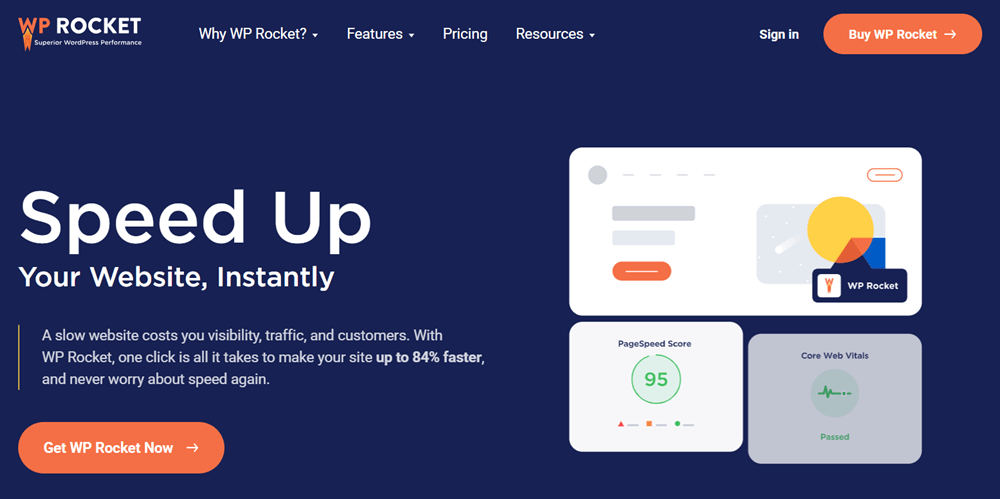
Website speed can affect both user experience and overall website performance. WP Rocket is a premium caching and performance optimization plugin designed to help WordPress websites load more efficiently.
The plugin includes various optimization features that can help improve caching and reduce unnecessary loading processes. Its setup is designed to be relatively simple, making it a popular choice for users who want performance improvements without dealing with complicated technical configurations.
WP Rocket can be particularly useful for website owners who are looking for an easy-to-use premium solution to improve their WordPress site’s loading performance.
WP Rocket Pricing Plans
WP Rocket offers three simple pricing plans designed for different types of website owners. Whether you manage a single WordPress website, run a few websites, or operate an agency with multiple client sites, you can choose a license based on the number of websites you need to optimize.
The available plans are Single, Plus, and Multi. All plans include access to WP Rocket’s performance optimization features, product updates, and support during the license period. The main difference between the plans is the number of websites covered.
Let’s take a closer look at each WP Rocket pricing plan.
WP Rocket Single – €49/year
Best for: Bloggers, small businesses, and website owners managing a single WordPress website.
The WP Rocket Single plan is designed for users who only need to optimize one website. It provides access to WP Rocket’s performance optimization tools, helping improve website speed and overall user experience.
The plan includes product updates and support for one website for one year. It also comes with Rocket Insights for free, giving users additional insights into their website’s performance.
This plan is a suitable choice for bloggers, personal websites, portfolios, and small business websites that only require a single WP Rocket license.
Key Points:
- Price: €49/year
- License for 1 website
- WP Rocket performance optimization features
- Product updates
- Support for one year
- Rocket Insights included for free
- Suitable for individual website owners
WP Rocket Plus – €99/year
Best for: Users managing multiple WordPress websites.
The WP Rocket Plus plan is a good option for users who manage more than one website. It includes the same core WP Rocket performance features as the Single plan but supports up to 3 websites.
Users receive product updates and support for all three websites during the license period. The plan also includes Rocket Insights for free, providing additional performance information and insights.
The Plus plan can be a practical option for freelancers, developers, or small businesses that manage several WordPress websites.
Key Points:
- Price: €99/year
- License for 3 websites
- WP Rocket performance optimization features
- Product updates
- Support during the license period
- Rocket Insights included for free
- Suitable for freelancers and small website portfolios
WP Rocket Multi – €249/year
Best for: Agencies, developers, and businesses managing a large number of websites.
The WP Rocket Multi plan is designed for users who need to optimize multiple websites. Based on the pricing shown, the plan covers 50 websites, making it suitable for agencies and professionals managing client websites.
It includes the same WP Rocket performance optimization features, along with product updates and support for the websites covered by the license. Rocket Insights is also included for free.
For agencies or developers handling a larger portfolio of WordPress websites, the Multi plan can offer a more convenient solution than purchasing multiple individual licenses.
Key Points:
- Price: €249/year
- License for 50 websites
- WP Rocket performance optimization features
- Product updates
- Support during the license period
- Rocket Insights included for free
- Suitable for agencies and developers
Which WP Rocket Plan Should You Choose?
The right WP Rocket plan mainly depends on the number of websites you manage.
The Single plan is a good choice if you only need WP Rocket for one website. The Plus plan is better suited for users managing up to three websites and can be useful for freelancers or small businesses.
If you manage a larger portfolio of websites or run an agency, the Multi plan may offer the best option, with support for up to 50 websites.
Ultimately, all three plans provide the core WP Rocket optimization features. Your choice should depend primarily on how many websites you want to optimize and your overall budget.
7. LiteSpeed Cache
Best Free WordPress Plugin for Performance
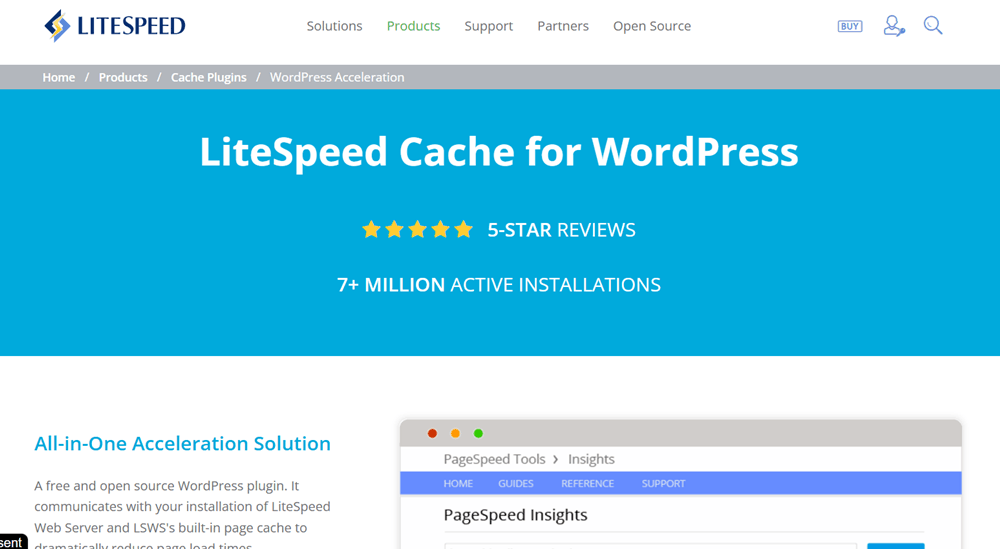
LiteSpeed Cache is a powerful WordPress optimization plugin that offers caching and a range of performance-related features. It can help website owners improve loading times by optimizing different aspects of their WordPress websites.
The plugin includes features for caching and additional optimization options, giving users more control over website performance. Its full caching capabilities work best when used with a compatible LiteSpeed server, although some optimization features can also be used in other hosting environments.
For WordPress users whose hosting environment supports LiteSpeed, this plugin can be an excellent option for improving website speed and performance.
LiteSpeed Cache Pricing Plans
LiteSpeed Cache offers professional optimization services for WordPress websites that need help with caching, CDN configuration, and performance tuning. Along with its free WordPress caching plugin, LiteSpeed provides paid services for users who want their website configured and optimized by experts.
One of the available services is WordPress Cache Optimization, designed to configure LiteSpeed Cache and QUIC.Cloud CDN according to your website’s current setup.
WordPress Cache Optimization – Starting From $100
Best for: WordPress website owners who want professional LiteSpeed Cache and QUIC.cloud CDN configuration for better website performance.
The WordPress Cache Optimization service starts at $100 USD for a single WordPress website. The service includes installing LiteSpeed Cache for WordPress and QUIC.Cloud CDN, followed by configuring them according to the specific requirements and current condition of your website.
Instead of simply installing the plugin and leaving the default settings, the service focuses on setting up the available optimization options properly for your website. This can be useful for website owners who are not comfortable handling advanced caching, CDN, and performance settings themselves.
Key Points:
- Price: Starting from $100 USD
- Service: WordPress Cache Optimization
- Website: 1 WordPress website
- LiteSpeed Cache: Installation and configuration
- QUIC.cloud CDN: Setup and configuration
- Optimization: Settings adjusted according to your website
- Professional Setup: Configuration based on your website’s current state
- Best For: Website owners looking for professional performance optimization
The final configuration can vary depending on the website’s existing setup, hosting environment, plugins, and performance requirements. LiteSpeed describes this service as a way to set up LiteSpeed Cache and QUIC.cloud CDN to their best possible configuration for the individual website.
For website owners who prefer a professionally configured caching setup instead of managing advanced optimization settings themselves, this service provides a dedicated option starting at $100 USD.
8. UpdraftPlus
Best WordPress Plugin for Website Backups
Regular backups are essential for protecting your website and its important data. UpdraftPlus is a popular WordPress backup plugin that helps users create and manage website backups more easily.
You can use it to back up important parts of your WordPress website, including files and database content. Depending on your setup and plan, you can also schedule backups and store them in supported remote storage locations.
A reliable backup system makes it easier to recover your website if something goes wrong during an update, configuration change, or unexpected technical issue. For this reason, UpdraftPlus can be a valuable plugin for almost any WordPress website.
UpdraftPlus Pricing Plans
UpdraftPlus offers several pricing plans designed for different types of WordPress users, from individuals managing a few websites to larger businesses and agencies handling multiple sites.
The available plans include Personal, Business, Agency, Enterprise, and Gold. Each plan provides different website limits, staging options, and additional resources, allowing users to choose a plan based on their requirements.
Let’s take a closer look at each UpdraftPlus pricing plan.
UpdraftPlus Personal – $70/Year
Best for: Individuals and small website owners.
The UpdraftPlus Personal plan is designed for users who need backup and restoration tools for a small number of websites. It supports up to 2 websites and includes basic staging features.
This plan can be a suitable option for bloggers, portfolio owners, and small website owners who want reliable WordPress backup functionality without paying for a larger plan.
Key Points:
- Price: $70/year
- Supports up to 2 websites
- Basic staging included
- Suitable for personal websites and small projects
UpdraftPlus Business – $95/Year
Best for: Freelancers and users managing multiple websites.
The UpdraftPlus Business plan provides support for up to 10 websites and includes standard staging features. It offers more flexibility for users who manage several WordPress websites.
This plan can be a good choice for freelancers, developers, and small businesses that need a reliable backup solution across multiple websites.
Key Points:
- Price: $95/year
- Supports up to 10 websites
- Standard staging included
- Suitable for freelancers and small businesses
UpdraftPlus Agency – $145/Year
Best for: Agencies and developers managing client websites.
The UpdraftPlus Agency plan supports up to 35 websites and includes advanced staging features. It is designed for users who need to manage backups and website environments across a larger number of sites.
For agencies and web developers handling multiple client websites, this plan provides a higher website limit and more advanced capabilities.
Key Points:
- Price: $145/year
- Supports up to 35 websites
- Advanced staging included
- Suitable for agencies and web developers
UpdraftPlus Enterprise – $195/Year
Best for: Businesses and agencies managing unlimited websites.
The UpdraftPlus Enterprise plan offers support for unlimited websites and includes ultimate staging features. It is designed for users who need greater flexibility without worrying about website limits.
This plan can be suitable for larger agencies, development teams, and businesses managing a significant number of WordPress websites.
Key Points:
- Price: $195/year
- Supports unlimited websites
- Ultimate staging included
- Suitable for larger businesses and agencies
UpdraftPlus Gold – $399/Year
Best for: Large agencies and businesses requiring additional storage.
The UpdraftPlus Gold plan is the most advanced option in the pricing lineup. It supports unlimited websites, includes ultimate staging, and provides up to 50GB of storage.
This plan can be a suitable choice for larger organizations that manage many WordPress websites and require additional storage alongside advanced backup and staging features.
Key Points:
- Price: $399/year
- Supports unlimited websites
- Ultimate staging included
- Up to 50GB of storage
- Suitable for large agencies and businesses
Which UpdraftPlus Plan Should You Choose?
The right UpdraftPlus plan depends on the number of WordPress websites you manage and the level of backup, staging, and storage features you need.
- Choose the Personal plan if you manage up to 2 websites and need a simple backup solution with basic staging features.
- Choose the Business plan if you manage up to 10 websites and need more flexibility for multiple WordPress projects.
- Choose the Agency plan if you are a freelancer, developer, or agency managing up to 35 websites and need advanced staging features.
- Choose the Enterprise plan if you manage a large number of websites and want unlimited website support with ultimate staging capabilities.
- Choose the Gold plan if you need everything included in the Enterprise plan along with up to 50GB of storage for additional backup requirements.
Ultimately, the best UpdraftPlus plan depends on your website requirements, the number of sites you manage, and the level of staging and storage features you need.
How to Choose the Best WordPress Plugin
Choosing the best WordPress plugin is an important decision for your website. The right plugin can add useful features, improve functionality, and make managing your website easier. However, installing too many poorly optimized or unnecessary plugins can affect your site’s performance and security.
Before choosing a WordPress plugin, consider the following factors:
1. Features and Functionality
The first thing to consider is whether the plugin provides the features you actually need. Different plugins may offer similar functionality, but their tools, settings, and ease of use can vary significantly.
Look for a plugin that solves your specific problem without adding unnecessary features that you may never use.
2. Compatibility
Always make sure the plugin is compatible with your current version of WordPress, theme, and other important plugins on your website.
A compatibility issue can cause errors, broken layouts, or conflicts with other plugins. It is especially important to check compatibility if you are using popular page builders, WooCommerce, or other advanced WordPress tools.
3. Performance and Speed
Some plugins can slow down your website by adding unnecessary scripts, database queries, or background processes.
Choose a well-optimized plugin that provides the required functionality without negatively affecting your website’s loading speed. A lightweight and efficiently coded plugin is generally a better choice for long-term use.
4. User Reviews and Ratings
Before installing a plugin, check its user ratings and reviews. Feedback from other WordPress users can help you understand the plugin’s strengths and potential problems.
However, don’t rely only on the overall rating. Reading recent reviews can provide a better idea of the plugin’s current performance and user experience.
5. Regular Updates
A good WordPress plugin should be regularly updated by its developers. Frequent updates help maintain compatibility with the latest version of WordPress and can include bug fixes, security improvements, and new features.
Avoid plugins that have not been updated for a long time, especially if they are important for your website’s security or core functionality.
6. Developer Support
Reliable customer support can be extremely helpful when you experience technical issues. Check what type of support the plugin developer provides, such as documentation, support forums, email assistance, or priority support for premium users.
Good documentation and active support can save you a lot of time when setting up or troubleshooting a plugin.
7. Free vs Premium Version
Many WordPress plugins offer both free and premium versions. A free version may be enough for basic websites, while premium plans usually include advanced features, additional integrations, and priority support.
Before purchasing a premium plugin, compare the available features and decide whether the additional functionality is worth the cost for your website.
8. Security and Reliability
Security should always be a priority when choosing a WordPress plugin. Install plugins from trusted developers and reputable sources.
Using poorly coded or outdated plugins can create security risks. Keeping your plugins updated and removing unused plugins can also help maintain a safer WordPress website.
9. Ease of Use
A powerful plugin is not always the best choice if it is difficult to configure and manage. Look for a clean interface, simple settings, and helpful documentation.
For beginners, an easy-to-use plugin can make managing WordPress much more convenient and reduce the learning curve.
10. Pricing and Renewal Costs
Finally, consider the plugin’s price and renewal costs before making a purchase. Some premium plugins charge annually, while others may offer lifetime licenses.
Make sure to check what happens after the first year, including renewal pricing, continued updates, and access to customer support. This will help you choose a plugin that fits your long-term budget.
Which WordPress Plugin Is Best for You?
Choosing the best WordPress plugin depends on your website’s specific needs, goals, and the type of functionality you want to add. Each plugin offers different features, from SEO and security to website design, analytics, forms, performance, caching, and backups.
Here is a simple breakdown to help you choose:
- Choose Rank Math if you want to improve your website’s SEO and optimize your content for search engines. It is a suitable option for users who need features such as keyword optimization, schema markup, XML sitemaps, and other SEO tools.
- Choose Wordfence if website security is your main priority. It can be a suitable choice for protecting your WordPress website from security threats and monitoring potential security issues.
- Choose Elementor if you want to design and customize your website using a drag-and-drop page builder. It is useful for creating landing pages, business websites, portfolios, and custom page layouts without needing advanced coding skills.
- Choose MonsterInsights if you want to connect your website with Google Analytics and view important website data directly from your WordPress dashboard. It is helpful for tracking visitors, traffic sources, user behavior, and website performance.
- Choose WPForms if you need an easy way to create contact forms, registration forms, payment forms, surveys, and other types of forms for your website.
- Choose WP Rocket if improving your website’s speed and performance is a major priority. It is designed to help optimize WordPress websites through caching and other performance-related features.
- Choose LiteSpeed Cache if your website uses a compatible LiteSpeed server and you want access to caching and website optimization features. It can help improve loading times and overall website performance.
- Choose UpdraftPlus if you need a reliable WordPress backup and restoration solution. It is useful for creating backups and restoring your website when needed.
Frequently Asked Questions
The best WordPress plugin for beginners depends on the features they need. For example, Elementor is useful for website design, Rank Math for SEO, and WPForms for creating contact forms and other forms.
No, you do not need every plugin. You should only install plugins that provide functionality your website actually needs. Installing unnecessary plugins can make website management more complicated.
Both WP Rocket and LiteSpeed Cache are popular options for improving WordPress website performance. The best choice depends on your hosting environment and website requirements.
Wordfence is designed to help improve WordPress website security and protect websites from various security threats.
UpdraftPlus is a popular option for creating and restoring WordPress backups. It can help you keep backup copies of your website and restore them when needed.
Final Verdict
Choosing the right WordPress plugins can make a noticeable difference in how your website performs, looks, and functions. However, there is no need to install every plugin on the list. The best approach is to choose reliable tools that match your website’s specific requirements.
For SEO, Rank Math is a strong choice, while Wordfence can help strengthen website security. If you want an easy way to design and customize pages, Elementor is worth considering. MonsterInsights helps you understand website traffic and visitor behavior, while WPForms makes it easier to create and manage forms.
For website performance, WP Rocket and LiteSpeed Cache can help improve loading speed depending on your hosting setup. Finally, UpdraftPlus is a practical choice for creating backups and restoring your website when needed.
Overall, the best WordPress plugin setup is not about having the most plugins it is about having the right plugins for your needs. Choose well-maintained, trusted plugins, keep them updated, and only use the features that genuinely add value to your website.